
Every December, the same story plays out in offices across India. HR sends a reminder email about expiring leave. Employees scramble to check their balance, realize they still have eight or nine days sitting unused, and try to squeeze in a vacation request between year-end deadlines and holiday closures. Half the time, it doesn't work out, and those days simply disappear.
Year-end leave management exists to prevent exactly this scenario. It's the practice of tracking, planning, and using your leave balance well before the calendar year runs out, instead of discovering the problem in the last two weeks of December. Done right, it's less about paperwork and more about protecting time you've already earned. The process gets significantly easier with reliableleave management software, which gives employees a running view of their balance instead of leaving it buried in an HR spreadsheet no one checks until it's too late.
This guide takes a different approach from the usual checklist article. Instead of just listing rules, we'll walk through why the year-end crunch happens in the first place, how to read your specific company's policy correctly, and a realistic plan you can actually follow, even if you're reading this in November with barely any time left.
Why the Year-End Leave Crunch Keeps Happening
It's tempting to blame poor planning entirely on employees, but the pattern is more structural than that. Understanding why it happens is the first step to avoiding it.
1. Leave Feels Optional Until It Isn't
Throughout most of the year, taking leave feels like something you can always do "next month." There's no visible cost to postponing it, until the calendar flips to Q4 and suddenly there's a hard deadline attached to days you assumed would just be there whenever you wanted them.
2. Policies Are Rarely Communicated Clearly
Most companies mention leave policy once, during onboarding, and never again. Employees are left relying on memory, secondhand information from colleagues, or outdated employee handbooks, none of which reliably reflect current carry-forward limits or encashment rules.
3. Manual Systems Hide the Real Picture
When leave balances live in a spreadsheet HR updates manually, employees rarely check it because there's friction involved: an email request, a wait for a reply, maybe a follow-up. That friction alone is often enough to make people put off checking until it's genuinely urgent.
Decode Your Company's Leave Policy Before You Plan Anything
Before building any kind of plan, you need three specific answers from your HR team or HRMS portal. Guessing at any of these is where most year-end leave mistakes begin.
1. How Much Leave Actually Carries Forward?
Carry-forward limits are rarely "all or nothing." A common structure looks like this: you're allowed to carry forward a fixed number of days, say, 5 or 7, regardless of how large your remaining balance is. If you have 12 unused days and your cap is 5, the other 7 either need to be used, encashed, or simply expire on December 31.
This is the single most misunderstood part of leave policy. Employees often assume their full balance rolls over automatically, only to find out in January that a chunk of it vanished.
2. Is Encashment Automatic, or Do You Need to Ask for It?
Leave encashment, converting unused days into a payout, isn't handled the same way everywhere. Some companies process it automatically as part of year-end payroll. Others require employees to formally submit a request, sometimes with a specific deadline of its own that's earlier than the leave expiry date itself.
If your company falls into the second category and you miss that internal deadline, you could lose the option to encash leave even if the days themselves technically still exist on paper. It's worth confirming this explicitly rather than assuming your HR team will handle it for you.
3. What's the Real Deadline, Not the One People Assume
"Use it or lose it by December 31" is the most common policy, but it's not universal. Some companies set the cutoff earlier, like December 15, to leave room for processing before the new year. Others extend a grace period into January. The only way to know for certain is to check directly, assuming a deadline based on what a previous employer did is a common and costly mistake.
A Realistic Plan for Using Your Leave Before It Expires
Rather than a generic checklist, here's a plan built around the actual constraints most employees face: busy schedules, team dependencies, and manager approvals that take time.
1. If You're Reading This in Q3 (July–September)
This is the ideal window. Pull up your leave balance, confirm your carry-forward cap, and block at least one longer stretch of leave on the team calendar now, while there's still flexibility around dates. Booking early also means you're not competing with the entire office for the same December slots.
2. If You're Reading This in October
You still have room to plan properly. Prioritize confirming your company's exact encashment process this month; if there's an internal request deadline, it's often earlier than people expect. Use this month to lock in any travel or personal plans that need booking.
3. If You're Reading This in November
Time is tighter, but not gone. Focus on practical wins: split your remaining balance into a few shorter breaks rather than trying to plan one big trip, since shorter leave is easier to get approved on short notice. Submit requests now rather than waiting for a "perfect" week.
4. If You're Reading This in December
At this point, coordinate directly with your manager about what's realistically approvable given team workload, and prioritize using leave over encashing it if your policy allows both; approved leave is generally easier to secure quickly than navigating an encashment request process you may not have started early enough for.
The Role Technology Plays in Avoiding This Every Year
The reason this crunch repeats year after year for so many employees isn't a lack of willpower; it's a lack of visibility. When your leave balance, policy rules, and approval status aren't sitting somewhere you naturally check, it's easy for the problem to stay invisible until it's urgent.
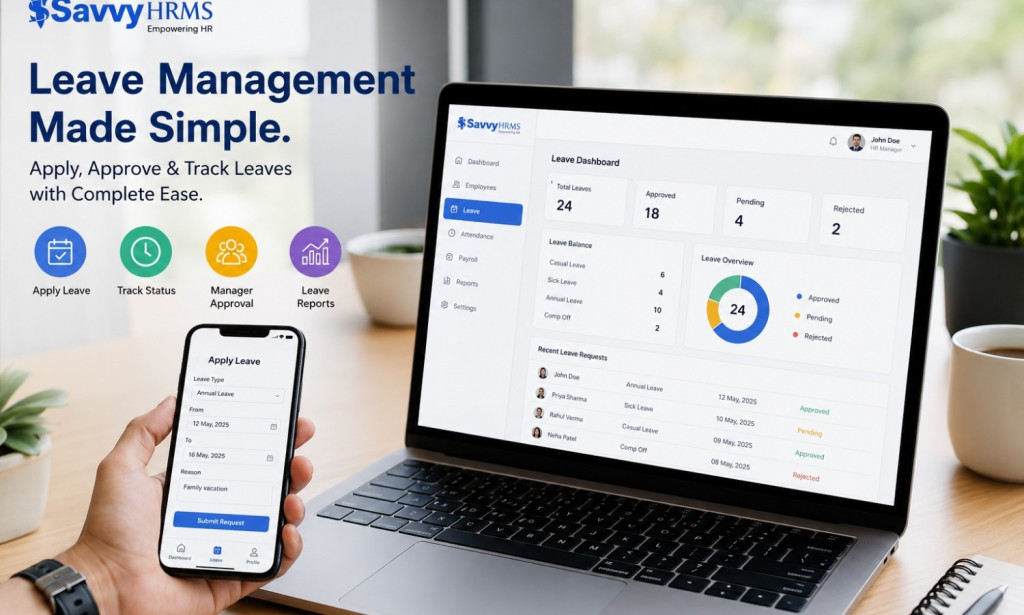
This is where a proper leave management system changes the pattern entirely. Instead of leave data living in a spreadsheet that gets updated occasionally, a system likeSavvy HRMS keeps your balance, carry-forward limits, and encashment status updated in real time and visible through a self-service portal. You're not dependent on HR remembering to send a reminder; the information is simply there whenever you check.
For managers, the same visibility helps avoid the December approval bottleneck, since leave requests, team calendars, and workload conflicts are all managed in one connected place rather than scattered across emails and verbal check-ins.
Questions Worth Asking Your HR Team Directly
If you only have time to send one email to HR this quarter, make sure it covers these:
-
What is our exact carry-forward limit, and does it apply to all leave types or only specific ones?
-
Is leave encashment automatic, or do I need to submit a request, and if so, by when?
-
What is the actual leave application deadline for this year, including any grace period?
-
Does unused leave expire completely, or is there a partial payout option if I can't use all of it?
Getting these answered in writing removes the ambiguity that causes most year-end leave problems in the first place.
What Happens If You Do Nothing
It's worth being direct about the cost of inaction. Depending on your company's policy, unused leave beyond your carry-forward cap is typically forfeited entirely, not converted to cash, not rolled over, simply gone. For employees who consistently leave leave unused, that can add up to a meaningful amount of lost value every year, on top of the burnout that comes from never actually stepping away from work.
The fix isn't complicated. It's early visibility, a couple of confirmed answers from HR, and a system that keeps the information in front of you instead of buried somewhere you rarely look.
Final Thoughts
Year-end leave management isn't really about tracking days on a calendar; it's about making sure time you've already earned actually gets used the way you intended, whether that's a proper vacation, a handful of long weekends, or a straightforward cash payout. The employees who avoid the December scramble aren't the ones with less work; they're the ones who checked their balance a few months earlier and asked HR the right questions before the deadline pressure set in.
If your company's current leave process still relies on spreadsheets, memory, and end-of-year reminder emails, it might be time to see what a properly connected system looks like in practice.Book a free demo with Savvy HRMS and see how much easier year-end leave planning can be when the information is there whenever you need it.
Frequently Asked Questions
What is year-end leave management? It's the process of reviewing your unused leave balance before the calendar year ends and deciding how to handle it, through carry-forward, encashment, or using the days outright, based on your company's specific policy.
Why do so many employees lose leave every year? Mostly because leave policies aren't communicated clearly after onboarding, and manual tracking systems make it easy to lose sight of an actual balance until a deadline is already close.
Should I prioritize using leave or encashing it? That depends on your policy and personal circumstances. If your company allows both, using leave generally has fewer procedural hurdles than encashment, which sometimes requires a separate request with its own deadline.
How early should I start planning my year-end leave? Ideally by October, though even a few weeks of lead time is better than none. The key is confirming your carry-forward limit and encashment process directly with HR rather than assuming either one.

You must be logged in to post a comment.