

For a majority of users, a smartphone is good enough to play games on the go. In fact, you don’t need a gaming console unless you want to play must-have exclusive games. While smartphones offer exceptional hardware, there are a number of small software changes you can make to adjust your phone for the best gaming experience possible. Here are a couple of quick tips to tweak the gaming performance on your smartphone.
Increase screen refresh rate
Most smartphones now feature a display capable of operating at a higher refresh rate of 90Hz, 120Hz, and some devices even offer up to 144Hz and 165Hz of refresh rate. On most phones, the screen refresh rate is usually set to low or auto, where the phone will automatically adapt the refresh rate to conserve power. Make sure that the screen is set to the highest refresh rate possible to experience the best possible gaming experience.
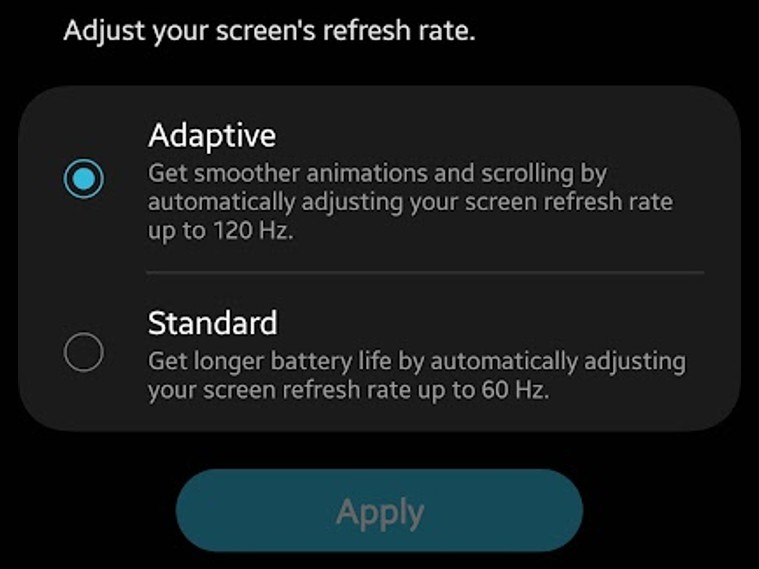
Go to Settings > Display > Screen refresh rate and select the best available option.
Depending on the brand, this might vary. On Samsung phones, the same can be found under the Motion smoothness and select the Adaptive option.
Enable do not disturb on gaming mode
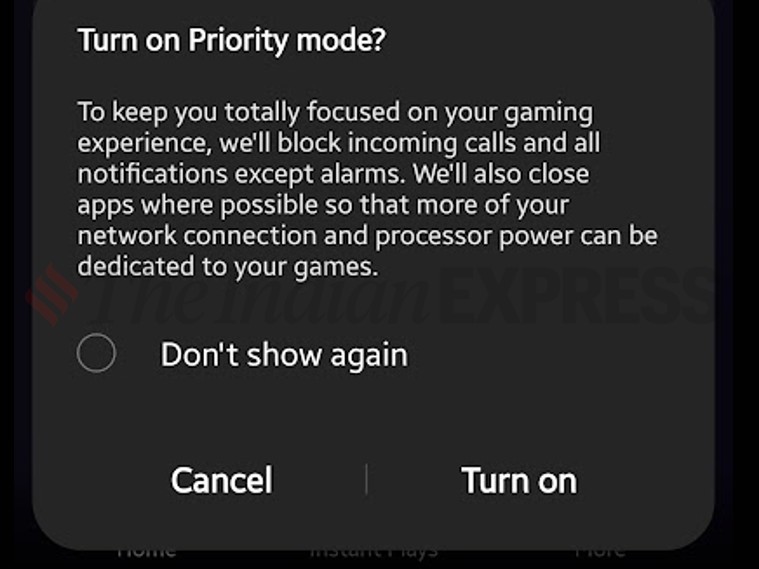
Many Android smartphones now come with a dedicated gaming mode, where users will get more control over the game. On Samsung phones, it’s called Game Launcher, where, enabling the priority mode on the same will block incoming notifications and will help you focus on the game.
Similarly, if you have a OnePlus smartphone, the same option can be found within the Games app. These apps also allow users to monitor the game’s fps, processor clock speed, and a lot more.
Switch to a Wi-Fi network
A Wi-Fi network will usually have lower latency and ping, which is a big deal while playing online multiplayer games like BGMI or COD: Mobile. Within the Wi-Fi, it is advised to connect to a 5GHz (Wi-Fi 5) or a 6GHz (Wi-Fi 6) network for an unparalleled online gaming experience.
Wi-Fi network will not only improve the latency but will also help the phone to deliver longer battery life when compared to a 4G LTE or SA/NSA 5G network.
Tweak performance profile and battery saver
Never play a game when your phone is on power saver mode. In fact, always use the standard or the best performance mode available on the device to experience high-fidelity graphics and higher refresh rate. Some phones also offer light mode, which reduces the current and voltage to the processor to keep the phone cool, and disabling the same will also help the device to deliver a better gaming experience.
Enable Dolby Atmos for gaming
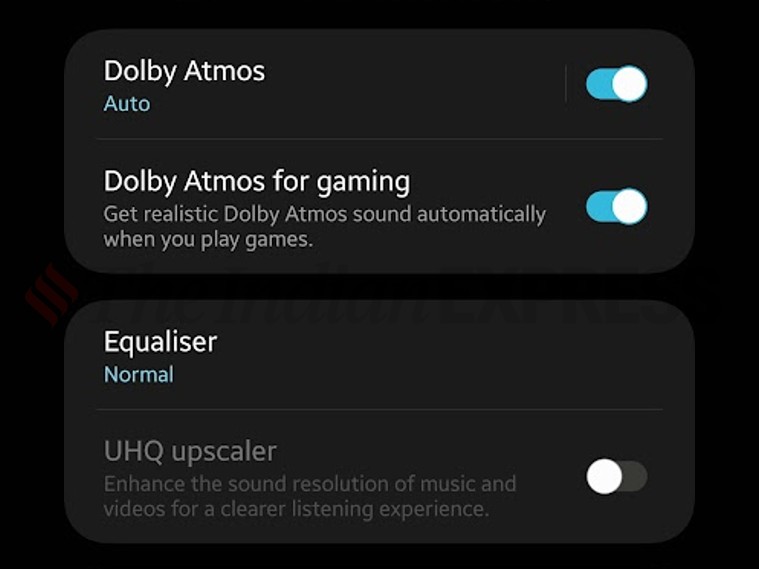
There are quite a few Android games that support Dolby Atmos audio and enabling the same will result in an enhanced surround sound experience. However, depending on the device, one might have to use compatible headphones to enjoy Dolby Atmos audio while gaming.
On Samsung phones, go to Settings > Sound quality and effect > Dolby Atmos for gaming to experience elevated audio quality while gaming.
Use gaming accessories
Gaming accessories like detachable shoulder triggers and gaming finger sleeves can also have a positive impact while gaming on smartphones. These inexpensive accessories will not only make gaming on smartphones enjoyable but can also offer some advantages against the opponent. Similarly, for racing and boxing games, one can also pair an external wireless control to Android smartphones for a better gaming experience.
BONUS TIP
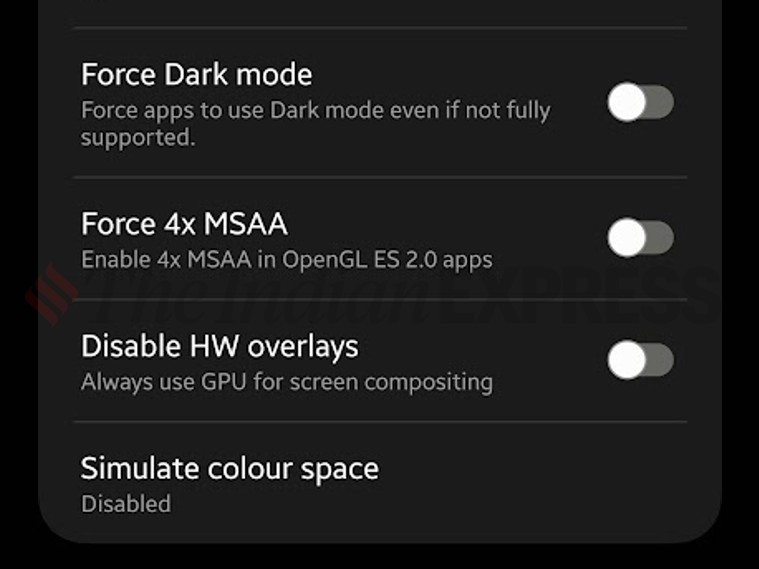
If you want to take it up a notch, then here are some additional tweaks, which will further enhance the gaming experience on an Android phone. For these tweaks, one needs to enable the Developers option, which comes with its own drawbacks, hence, make sure to only apply these settings with caution, as some of these could greatly impact how your phone would behave.
Enable Developer Options on Android smartphones
Go to Settings > About device > build number and tap on it five times and enter the passcode to enable the developer option. Once enabled, follow these individual guidelines to further enhance the gaming experience.

You must be logged in to post a comment.