

If you are looking for a way to earn rewards for doing the things you already do online, you might want to check out Microsoft Rewards. Microsoft Rewards is a free program that lets you earn points by searching with Bing, shopping at the Microsoft Store, playing games on Xbox, and more. You can then redeem your points for gift cards, sweepstakes entries, donations to causes of your choice, and other amazing rewards. In this blog post, I will show you how to get started with Microsoft Rewards and how to make the most of it.
Step 1: Sign up for Microsoft Rewards
To join Microsoft Rewards, you need a Microsoft account. If you don't have one, you can create one for free at https://account.microsoft.com/account. Once you have a Microsoft account, you can sign up for Microsoft Rewards at https://www.microsoft.com/en-us/rewards. You will see your personalized Rewards dashboard, where you can track your points balance, explore offers and activities, and set a goal for what you want to redeem your points for.
Step 2: Earn points by doing what you love
There are many ways to earn points with Microsoft Rewards. Here are some of the most popular ones:
- Search with Bing: You can earn 5 points per search when you use Bing on your PC or mobile device, and up to 20 points per day when you use Microsoft Edge as your browser. You can also earn bonus points by completing daily quizzes and challenges on the Bing homepage.
- Shop at the Microsoft Store: You can earn points when you buy things from the Microsoft Store online and in Windows 10. You can also get exclusive deals and discounts as a Microsoft Rewards member.
- Play games on Xbox: You can earn points when you play games on your Xbox console with the Rewards app installed. You can also complete quests and challenges to earn extra points and achievements.
- Do more with Microsoft: You can earn points by using other Microsoft products and services, such as Outlook, OneDrive, Skype, Microsoft 365, and more. You can also complete surveys and polls to share your feedback and opinions.
Step 3: Redeem your points for amazing rewards
Once you have enough points, you can redeem them for a variety of rewards. Here are some of the options:
- Gift cards: You can get gift cards from popular retailers, such as Amazon, Starbucks, Walmart, Target, and more. You can also get gift cards for Xbox games, apps, movies, and music.
 |
 |
 |
 |
 |
 |
 |
 |
 |
 |
 |
 |
 |
 |
 |
 |
 |
 |
 |
 |
 |
 |
 |
 |
 |
 |
 |
 |
 |
 |
- Sweepstakes: You can enter sweepstakes for a chance to win big prizes, such as laptops, tablets, gaming consoles, travel packages, and more.
 |
 |
 |
- Donations: You can donate your points to support causes that matter to you, such as environmental protection, education, health care, human rights, and more. Microsoft will match your donations' dollar for dollar.
 |
 |
 |
 |
 |
 |
 |
 |
 |
 |
 |
 |
 |
 |
 |
 |
 |
 |
 |
 |
 |
 |
 |
 |
 |
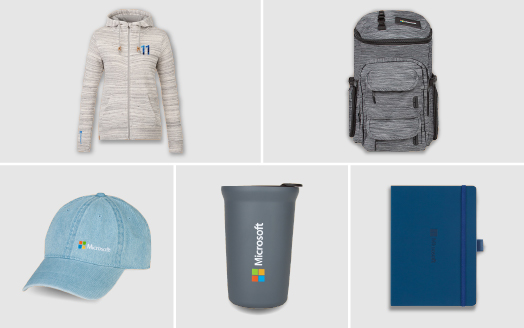
- More: You can also redeem your points for other rewards, such as subscriptions to magazines, newspapers, streaming services, and more.
 |
 |
Microsoft Rewards is a great way to reward yourself and make a difference with Microsoft. It's free and fun to join and easy to use. So, what are you waiting for? Sign up today and start earning points for doing what you love!

You must be logged in to post a comment.