
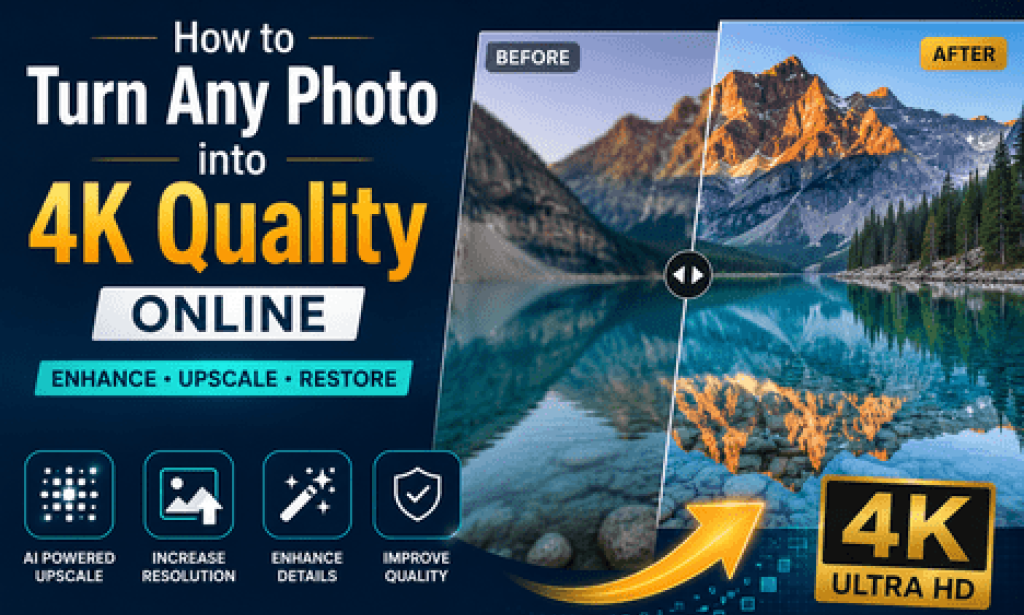
Open your camera roll and scroll back five or ten years. Chances are, half of what's in there looks small, soft, or slightly pixelated compared to what your phone shoots today. That gap is exactly why so many people are now searching for ways to turn a photo into 4K quality online, especially before printing, framing, or sharing it somewhere it'll be seen up close.
It's a more common need than most people expect. Phones have only shot in genuinely high resolution for the last several years, which means most personal photo libraries are a mix of eras - some sharp, some not. Being able to Upgrade Your Photos to 4K in Seconds gives those older images a second chance without needing the original camera or file.
This matters beyond nostalgia, too. As screens get bigger and sharper think 4K TVs used as digital photo frames, or large monitors used for video calls - low-resolution images stand out in a way they never used to. What used to look "good enough" on a small screen now looks noticeably soft.
So how does this actually work, and what should you realistically expect from the result? Let's break it down.
What Does It Mean to Turn a Photo into 4K Quality?
In plain terms, it means taking a smaller image - say, one that's 1000x750 pixels - and using an online tool to produce a larger version, typically around 3840x2160, while keeping it looking sharp rather than just stretched.
A normal resize just enlarges the existing pixels, which is why blown-up photos often look soft or blocky. Tools built for this use AI models that have been trained on enormous numbers of images, so they can make educated predictions about what detail should exist rebuilding edges, textures, and fine lines that a basic resize would lose.
Here's a familiar example: someone has an old profile photo from a 2014 webcam, maybe 640x480. Run it through an AI photo upscaler, and it comes back around 2560x1920 - faces look more defined, hair has texture again, and the background isn't a smear of color blocks anymore.
It won't look identical to a photo taken on today's phone. But compared to the original, it's a clear and often surprising improvement.
Why It Matters
For individuals, this is mostly about preserving memories. Old family photos, scanned prints, or early digital camera shots often carry sentimental weight that has nothing to do with technical quality - but technical quality still affects whether they're worth printing or displaying.
For small businesses and creators, image quality has quietly become part of how people judge credibility. A profile photo, product shot, or website banner that looks soft next to competitors' crisp visuals can subtly affect first impressions, even if no one consciously notices why.
There's also a practical industry shift happening. As more devices default to 4K and higher resolutions phones, laptops, smart TVs the bar for "acceptable" image quality keeps rising. Photos that looked fine five years ago can look dated on newer screens without any change to the photo itself.
Looking forward, this isn't likely to slow down. As resolution standards climb, older photo libraries will keep needing this kind of refresh just to stay usable in everyday contexts social media, printing, video calls, and digital displays alike.
Key Benefits
There are a few clear reasons this has become a go-to fix for outdated images:
- Instant results: Most online tools return a 4K version within seconds to a couple of minutes, depending on file size - far faster than manual editing.
- No technical skill needed: Unlike traditional photo editing, there's no learning curve. Upload, wait, download.
- Works on a browser: No software installation, which means it works on phones, tablets, and shared computers just as easily as a desktop.
- Brings old photos back to life: Faces, landscapes, and objects that looked flat or blurry often regain a surprising amount of definition and texture.
- Useful for both personal and professional needs: The same tool that rescues a childhood photo can also prep a product image for an online store.
The common thread across all of these is accessibility. This used to require specialized software and some skill; now it's a drag-and-drop task.
Real-World Applications
Families use this most often to prepare old photos for printing turning a small, slightly blurry snapshot into something sharp enough for a canvas print or photo book without sending it to a professional restoration service.
Job seekers and professionals sometimes use it to improve an older headshot for LinkedIn or a company website, especially if a new photo shoot isn't practical right now.
Small online sellers use it on product photos taken with a basic phone camera, particularly for items photographed a few years ago that are still in active listings.
Content creators and bloggers often upscale older images from their archives when reusing them in new posts, so visuals stay consistent in quality across a site or feed.
Even video editors occasionally rely on this for still images used in intros, thumbnails, or overlays, where a slightly soft photo can look distractingly out of place next to sharp video footage.
Challenges and Limitations
It's worth setting expectations honestly here, because this technology is useful but not magic.
The biggest limitation is that no tool can recover detail that was never recorded. If the original photo is extremely blurry, badly lit, or heavily compressed, the result will be a sharper version of that same blurry photo not a new, perfectly clear one.
Faces are usually handled well, but in some cases AI models can subtly alter small details skin texture, fine wrinkles, or background elements in ways that look slightly "off" if you compare them closely to the original. This is more noticeable on portraits than landscapes.
A common misconception is that this process is the same as what a professional photo restorer does by hand. It isn't. Restoration often involves manual retouching for scratches, color correction, and damage repair, while AI upscaling focuses purely on resolution and sharpness.
Practical issues to keep in mind include file size limits on free plans, image formats that some tools don't support well (like older RAW files), and the need for an internet connection to use browser-based tools at all.
Future Outlook
The trajectory here is fairly steady rather than dramatic. AI upscaling models continue to improve gradually, generally producing more natural-looking results with fewer obvious artifacts than earlier versions.
It's likely that this kind of feature becomes more embedded into everyday apps photo galleries, cloud storage services, and social platforms may start offering a built-in "enhance" option rather than requiring a separate website visit.
Mobile devices are also getting better at handling AI tasks locally, which could eventually mean some of this processing happens directly on a phone rather than through an online upload, addressing both speed and privacy concerns.
Even so, the basic principle will hold: these tools improve and reconstruct existing images, they don't replace the value of capturing photos in high resolution to begin with.
Best Practices and Recommendations
A few simple habits go a long way when using these tools:
- Always keep the original photo file; treat the upscaled version as an additional copy, not a replacement.
- Try a tool on one or two test images before uploading an entire photo library or batch.
- For sentimental or important photos, compare the result closely to the original before printing at a large size.
- Check whether the tool stores or uses uploaded images for training, especially for personal or private photos.
- If a photo has physical damage scratches, tears, fading consider a restoration-focused tool or service in addition to upscaling.
- Save results in a high-quality format (like PNG or high-quality JPEG) to avoid losing detail after the upscale.
Conclusion
Being able to Upgrade Your Photos to 4K in Seconds has made a real difference for anyone sitting on years of lower-resolution images, whether that's family photos, old headshots, or product shots that never got updated. It's not a perfect fix, but for most everyday situations, it's a meaningful upgrade.
The most useful way to think about it is as a refresh rather than a recreation these tools make the most of what's already in a photo, rather than producing something entirely new. Used that way, the results tend to hold up well for printing, sharing, and displaying on modern screens.
As resolution standards keep climbing across phones, TVs, and monitors, this kind of tool is likely to become a normal step in managing photo libraries, much like basic cropping or color adjustment already is.
If there's a photo sitting in your gallery that you've always wished looked a little sharper, it's probably worth five minutes to see what an online 4K upscale can actually do with it the difference is often bigger than people expect.

You must be logged in to post a comment.