
I'll be honest with you. When I first started building email sequences for a client's e-commerce store, I spent three weeks manually sending follow-up emails. Three weeks. By hand. It was exhausting, error-prone, and completely unsustainable once their list crossed 2,000 subscribers.
That experience taught me something I now tell every business owner I work with: email marketing automation isn't a luxury. It's the difference between a list that earns money while you sleep and one that silently decays because you can't keep up with it.
If you've been putting off setting up automation because it seems complicated or expensive, this guide is for you. I'm going to walk you through exactly how to do it, in plain language, without assuming you have a technical background.
What Is Email Marketing Automation
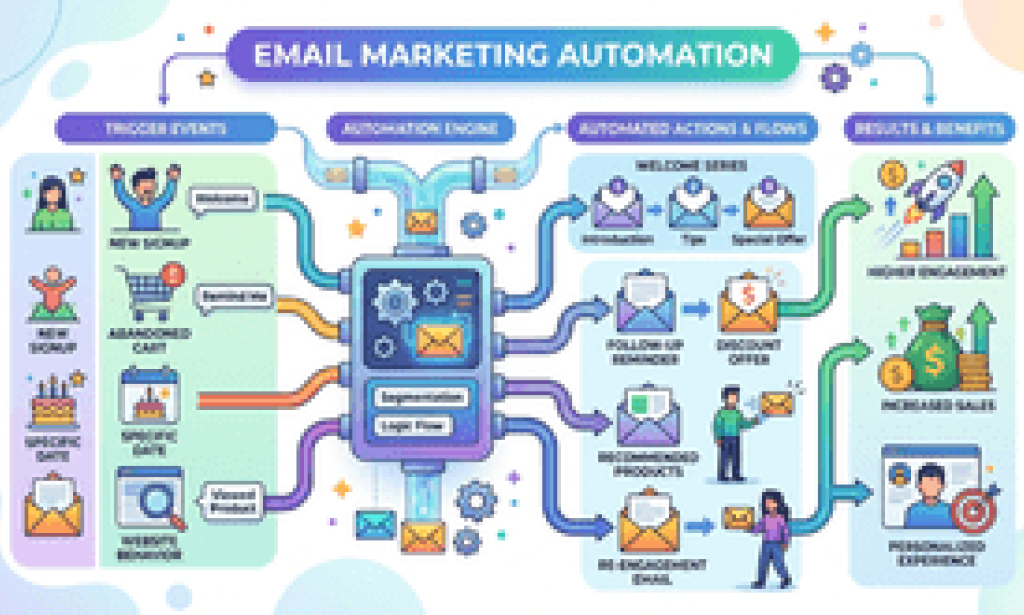
Email marketing automation means setting up pre-written emails that send automatically based on what your subscribers do, or don't do. Instead of manually emailing every new sign-up or abandoned cart, your system handles it for you, at the right moment, every time.
Think of it this way: when someone joins your list at 2am, they get your welcome email instantly. You don't have to be awake. That's automation working exactly as it should.
Beyond convenience, the business case is strong. Automated emails consistently outperform broadcast emails in open rates and revenue per recipient. Welcome sequences alone tend to generate significantly higher engagement than regular newsletters, simply because they reach people at peak interest, the moment they signed up.
Choosing the Right Email Automation Tool
Before you build a single workflow, you need the right platform. Here's how I think about this decision without overcomplicating it.
For small businesses and beginners: Mailchimp, MailerLite, or ConvertKit give you solid automation features without a steep learning curve. MailerLite in particular offers a generous free plan and a visual workflow builder that genuinely makes sense.
For growing e-commerce stores: Klaviyo is purpose-built for it. Its deep integration with Shopify and WooCommerce means you can trigger emails based on purchase history, browse behaviour, and cart activity without any custom setup.
For B2B and service businesses: ActiveCampaign is worth the investment once you're past the early stage. Its CRM features and conditional logic let you build sophisticated nurture sequences tied to your sales pipeline.
The honest answer is: don't overthink the platform at the start. Pick one that fits your budget, learn it properly, and upgrade later if you need to. A basic automation that runs is worth more than a perfect automation you never finish building.
The Four Automations Every Business Needs First
When business owners ask me where to start, I always give the same answer: build these four workflows before anything else. They cover the highest-impact moments in a subscriber's journey.
1. The Welcome Sequence
This is your most important automation, full stop. When someone joins your list, they're at peak curiosity about what you do. A good welcome sequence, typically three to five emails sent over seven to ten days, introduces your brand, delivers on whatever you promised them (a lead magnet, a discount, useful content), and sets the tone for the relationship.
Don't try to sell in email one. Use it to say hello, tell them what to expect, and give them something genuinely useful. The selling can come in emails three or four once you've earned a little trust.
2. The Abandoned Cart Email (For E-Commerce)
If you run an online store and you're not recovering abandoned carts, you're leaving real money behind. The average cart abandonment rate sits somewhere around 70%, which means most people who add items to their cart leave without buying. A well-timed sequence, one email an hour after abandonment, another 24 hours later, a final one with a small incentive at 72 hours, can recover a meaningful percentage of that lost revenue.
3. The Re-engagement Campaign
Every list has subscribers who've gone quiet. Before you delete them, run a re-engagement campaign. Something like: "We've noticed you haven't opened our emails in a while. Are you still interested?" Give them a clear reason to stay (or an easy way to unsubscribe). This keeps your list healthy, your deliverability high, and your open rates meaningful.
4. The Post-Purchase Follow-Up
Whether you sell products or services, the conversation shouldn't end at the sale. A post-purchase sequence that checks in, offers helpful tips for using what they bought, and eventually introduces complementary products or an upsell is one of the highest-ROI automations you can build. It's also just good customer experience.
How to Map Out a Workflow Before You Build It
This is the step most people skip, and it's why their automations feel clunky or confusing. Before you open your email tool, grab a piece of paper (or a free tool like Miro or FigJam) and sketch the logic.
Ask yourself three questions for every automation:
What triggers it? A new subscriber, a purchase, a link click, a date, a tag added to a contact. Your trigger is the starting point of every workflow.
What do you want the subscriber to do next? Be specific. Not "build a relationship" because that's too vague. Something like "click through to our pricing page" or "book a discovery call" or "make their second purchase."
What happens if they don't do it? This is where conditional logic comes in. If they open email one but don't click, do they get a follow-up? If they click, do they skip to a different branch? Mapping this out first saves you enormous confusion when you're actually building inside the platform.
Segmentation: The Secret to Automation That Feels Personal
One reason people fear automation is that it can feel robotic and impersonal. The fix is segmentation, sending the right message to the right group of people rather than the same email to everyone.
You don't need dozens of segments to start. Even basic segmentation by source (how they joined your list), interest (what they clicked on), or behaviour (whether they've purchased) makes a noticeable difference in how relevant your emails feel.
For example, if someone joined your list after downloading a beginner's guide, they probably need different content than someone who came through a case study aimed at experienced buyers. Same list, different journeys. That's segmentation doing its job.
Most major platforms let you tag contacts automatically based on their actions, which makes this easier than it sounds. (Check our guide on email list segmentation strategies for a practical walkthrough.)
Testing, Measuring, and Improving Your Automations
Here's something I learned the hard way: set-and-forget is a myth. Automation handles the sending, but it doesn't think for you.
The metrics that actually matter for automated sequences are open rate (are people reading?), click-through rate (are they engaging?), conversion rate (are they doing the thing you wanted?), and unsubscribe rate (are you irritating people?).
Run A/B tests on your subject lines first. They have the biggest impact on open rates and they're easy to test. Then test your calls-to-action. Small wording changes can make a noticeable difference in click-through rates.
Review your automations every quarter. What worked six months ago might need refreshing. An email referencing "current trends" that's now two years out of date quietly undermines your credibility.
Common Mistakes to Avoid
I've audited a lot of email automations, and the same problems show up repeatedly. Watch out for these:
Sending too frequently too early: A welcome sequence that fires five emails in three days is overwhelming. Space them out and respect your subscriber's inbox.
Making every email a sales pitch: If you only email people when you want something, they stop opening. Mix in value, tips, resources, and stories alongside your promotional content.
Ignoring mobile: More than half of emails are read on phones. If your emails look broken on mobile, you're losing a lot of potential engagement.
Not testing before launching: Send every automation to yourself first. Check every link, every personalisation field, every conditional branch. A broken automation that's been running for three months is a painful thing to discover.
Getting Started: Your First Week Action Plan
If you're starting from scratch, here's what I'd do in the first seven days:
Day 1-2: Pick your platform and connect it to your website. Set up your account, authenticate your domain for deliverability, and import any existing contacts.
Day 3-4: Write your welcome sequence. Three emails is enough to start. A warm hello, a piece of genuinely useful content, and a soft introduction to what you offer.
Day 5: Build and test the welcome automation in your platform. Check it on mobile and desktop. Send test emails to yourself.
Day 6: Set up your opt-in form on your website and connect it to your automation trigger.
Day 7: Launch, then schedule a reminder in 30 days to review the results.
That's it. You don't need to build everything at once. One automation that runs properly is more valuable than ten half-built workflows sitting in draft.
The Bottom Line
Email marketing automation done well is one of the most reliable, cost-effective growth tools available to small and medium businesses. It's not magic. It takes real thought to build sequences that feel personal and actually convert. But once those workflows are running, they compound. Every subscriber who joins your list enters a system that nurtures them consistently, without you having to do anything manually.
Start small, build thoughtfully, and improve over time. That's the approach that works.
If you're ready to go deeper, our guide on writing high-converting email sequences covers the copy side of this in detail. Or if you'd like help auditing your current setup, reach out. Sometimes a fresh pair of eyes spots opportunities that are surprisingly easy to fix.

You must be logged in to post a comment.