
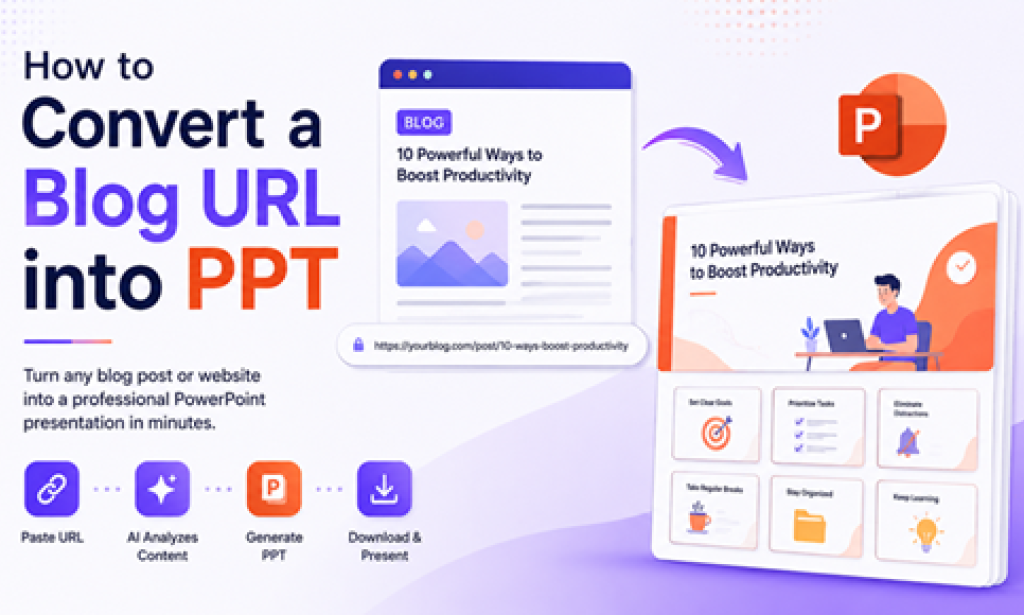
Blog articles are full of valuable information, but presenting that information in meetings, classrooms, or webinars often requires converting the content into slides. Traditionally, this means copying text, finding images, and manually building a presentation. Today, AI tools have made the process much faster by allowing users to transform an entire blog URL into a PowerPoint presentation in minutes.
In this guide, you'll learn different ways to convert a blog URL into PPT and the best practices for creating engaging presentations from web content.
Why Convert a Blog URL into PowerPoint?
There are many situations where turning a blog post into a presentation makes sense:
-
Sharing research findings with your team.
-
Creating educational materials from online articles.
-
Presenting industry trends during meetings.
-
Repurposing blog content for webinars.
-
Saving time on manual slide creation.
Instead of rebuilding information from scratch, you can leverage existing content and focus on delivering a compelling message.
Challenges of Manual Conversion
The traditional process of converting a blog into slides includes:
-
Reading the entire article.
-
Extracting important points.
-
Writing slide titles.
-
Finding supporting images.
-
Designing layouts.
-
Formatting every slide.
For long-form blogs, this process can take hours. Maintaining consistency across the presentation adds even more effort.
Method 1: Manually Convert a Blog URL into PPT
If you prefer complete control, manual conversion is still an option.
Step 1: Open the Blog Article
Read through the content and identify the main sections, headings, and key takeaways.
Step 2: Create an Outline
Convert each major heading into a separate slide topic.
For example:
-
Introduction
-
Problem Statement
-
Key Insights
-
Recommendations
-
Conclusion
Step 3: Add Visual Elements
Include:
-
Screenshots
-
Icons
-
Charts
-
Relevant images
-
Statistics
Visual storytelling improves audience engagement.
Step 4: Design the Presentation
Maintain:
-
Consistent fonts
-
Matching colors
-
Proper alignment
-
Limited text per slide
While this approach offers flexibility, it requires significant time and effort.
Method 2: Use AI to Convert a Blog URL into PPT
Modern AI tools eliminate most of the manual work. One example is MagicSlides AI Link to PPT Maker, which automatically analyzes webpage content and generates a structured presentation.
The process is straightforward:
-
Copy the blog URL.
-
Paste the link into MagicSlides.
-
Select your preferred theme or presentation style.
-
Allow the AI to process the content.
-
Review and customize the generated slides.
-
Download the final PowerPoint file.
This workflow can reduce hours of work to just a few minutes.
Benefits of Using AI-Based URL to PPT Tools
Faster Content Creation
AI automatically extracts headings, summaries, and important points from the article.
Better Structure
Generated presentations typically follow logical storytelling patterns, making them easier to present.
Consistent Design
Themes, typography, and layouts remain uniform across all slides.
Reduced Manual Work
Users can focus on refining ideas instead of formatting content.
Best Practices for Converting Blogs into Presentations
Keep Slides Concise
Avoid placing entire paragraphs on a single slide. Use bullet points and short summaries.
Focus on Key Takeaways
Every slide should communicate one central idea.
Add Supporting Visuals
Charts, icons, and images help audiences understand information more quickly.
Maintain Brand Consistency
If the presentation is for business use, use company colors, logos, and typography.
Limit the Number of Slides
Not every section of a blog requires its own slide. Group related ideas whenever possible.
Ideal Use Cases
Converting blog URLs into PowerPoint presentations is particularly useful for:
Business Teams
Transform industry reports and thought leadership articles into meeting presentations.
Educators
Turn educational blogs into classroom materials and lecture slides.
Marketers
Repurpose blog content into webinars, sales decks, and social media presentations.
Students
Create project presentations from online research sources.
Content Creators
Reuse written content across multiple formats to maximize audience reach.
Common Problems and Their Solutions
Too Much Text on Slides
Solution: Summarize content into short bullet points rather than copying full paragraphs.
Missing Images
Solution: Add custom visuals after generating the presentation.
Poor Flow Between Slides
Solution: Reorganize sections to create a stronger narrative structure.
Generic Design
Solution: Apply custom themes or branding elements before sharing the deck.
Final Thoughts
Learning how to convert a blog URL into PPT can dramatically improve productivity and help you reuse valuable content across multiple channels. While manual methods still provide complete creative control, AI-powered solutions such as MagicSlides offer a faster and more efficient approach for generating professional presentations from web content.
Whether you're a student, educator, marketer, or business professional, turning blogs into presentations is an effective way to communicate ideas, share knowledge, and save time on repetitive design tasks.

You must be logged in to post a comment.