
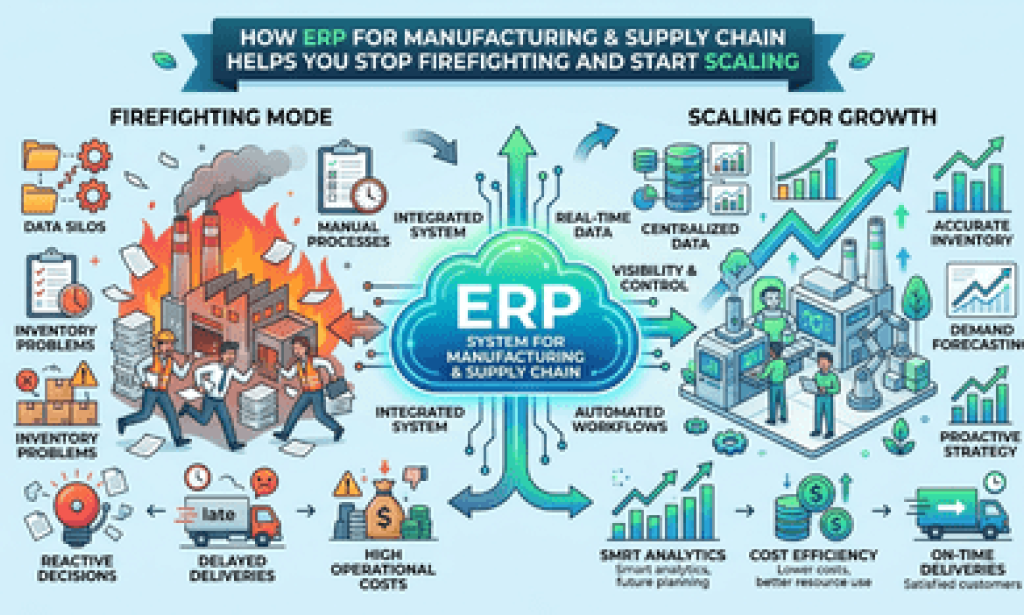
If you're running a manufacturing business, I don't need to tell you what a bad Tuesday looks like. A supplier delivers late, the production line waits, someone in sales has already promised the order for Friday, and by the time anyone notices, you're three spreadsheets deep trying to figure out what actually happened. I've sat in enough of these war rooms to know it's rarely a people problem. It's a visibility problem.
That's exactly the gap ERP for manufacturing & supply chain is built to close. In this guide, I'll walk you through what a modern ERP system actually does on the shop floor and across your supply chain, the warning signs that you've outgrown your current setup, and why a growing number of small and mid-sized manufacturers are choosingcustom ERP development for small business instead of forcing themselves into a bloated, one-size-fits-all platform. By the end, you'll know exactly what questions to ask before you spend a single dollar on new software.
What ERP for Manufacturing & Supply Chain Actually Solves
Enterprise resource planning software isn't just glorified accounting software with a manufacturing label slapped on it. A properly configured ERP connects the dots between departments that usually operate in silos: procurement, inventory, production planning, quality control, warehousing, and shipping.
Here's the practical version. When a customer order comes in, the system checks real inventory (not last week's count), flags what needs to be purchased, schedules the production run against actual machine and labor capacity, and updates delivery estimates automatically. No phone calls between departments. No guessing.
I've worked with manufacturers who were running six-figure operations off Excel and sticky notes, and the pattern is always the same: things work fine until they don't. Growth exposes the cracks. A missed reorder point becomes a stalled production line. A miscommunicated spec becomes a costly rework. ERP doesn't eliminate every problem, but it gives you the data to catch them before they become expensive.
The Core Modules That Matter Most
Not every manufacturer needs every module on day one, but these tend to deliver the fastest return:
-
Inventory and materials management – real-time stock levels across multiple warehouses or production sites
-
Production planning and scheduling – matching orders to machine capacity and labor availability
-
Procurement and supplier management – automated purchase orders tied to actual demand
-
Quality control tracking – documenting inspections and catching defects before shipment
-
Supply chain visibility – tracking materials from supplier to finished goods to customer
Signs You've Outgrown Spreadsheets and Manual Systems
Most business owners don't wake up one day and decide they need ERP. They get pushed into it by pain. If any of this sounds familiar, you're already past the point where it makes financial sense to wait:
You're double-entering data between your accounting software, your inventory tracker, and whatever your sales team uses to track orders. Every duplicate entry is a chance for numbers to stop matching, and reconciling them eats hours every week.
Your inventory counts are consistently wrong, leading to either rush orders at premium prices or excess stock tying up cash you could use elsewhere.
You can't answer a simple question fast: "Where is order #4521 right now?" If that requires calling three people, your supply chain visibility has a real gap.
Your team spends more time reporting on the work than doing it. Manual status updates, handwritten production logs, and email chains for approvals are all signs the process is running the people instead of the other way around.
Off-the-Shelf ERP vs. Custom ERP Development for Small Business
This is where most manufacturers get stuck, and honestly, where I see the most money wasted. The big-name ERP platforms are built for enterprise-scale operations with enterprise-scale budgets and IT teams. When a small manufacturer buys one, they usually end up paying for modules they'll never use while still needing custom workarounds for the specific way their production actually runs.
Custom ERP development for small business takes the opposite approach. Instead of forcing your workflow to match the software, the system gets built around how your shop actually operates: your specific bill-of-materials structure, your quality checkpoints, your supplier relationships, your reporting needs.
When does custom make sense over an off-the-shelf platform? Generally, if your production process has unusual complexity, such as batch tracking with expiry dates, multi-stage subcontracting, highly configurable products, or industry-specific compliance requirements, a custom build often costs less over three years than licensing and endlessly customizing a generic platform. If your operation is fairly standard and you need something running in weeks, an established platform with light configuration is usually the faster, safer starting point.
Neither option is inherently better. The right call depends on your production complexity, your growth trajectory, and how much your current processes differ from a "standard" manufacturing workflow. This is a good area to loop in an ERP consultant or systems integrator who works with manufacturers your size, rather than relying on a sales rep from a single vendor.
What to Look for Before You Commit to a System
A few practical checks I recommend before signing anything:
Ask for a demo using your own data, not a canned demo environment. If a vendor can't show you your actual production scenario, that's worth noting.
Check integration compatibility with your existing accounting software, CRM, and any specialized machinery or IoT sensors on your floor. Poor integration is one of the most common reasons ERP rollouts stall.
Get clarity on total cost, not just the license fee. Implementation, training, data migration, and ongoing support often cost more than the software license itself over the first year.
Talk to a current customer in a similar industry and similar size. Ask them what they'd do differently if they started over.
Making the Transition Without Disrupting Production
Rolling out a new ERP system mid-production is genuinely stressful, and I won't pretend otherwise. The manufacturers who handle it best usually do three things: they migrate data in stages rather than all at once, they run the old and new systems in parallel for a short overlap period, and they train a small group of "power users" first who can then support their colleagues once the system goes live.
Give yourself more time than you think you need. A rushed implementation is one of the leading causes of ERP projects that get abandoned or heavily reworked within the first year.
Key Takeaways
ERP for manufacturing & supply chain isn't about adopting the flashiest software on the market. It's about closing the visibility gap between your shop floor, your suppliers, and your customers so you can make decisions based on real data instead of guesswork. For many small and growing manufacturers,custom ERP development for small business ends up being the more cost-effective and sustainable path, especially when production processes don't fit neatly into a generic template.
If you're weighing your options, the smartest next step is usually a candid conversation with someone who's implemented ERP systems for manufacturers your size, not a generic sales pitch, but a real look at your workflow, your pain points, and what's realistically achievable within your budget and timeline. That conversation alone will save you from a lot of expensive guesswork.

You must be logged in to post a comment.